

Account Top-Up Guide
About 2 min
Account Top-Up Guide
Top up your fiat account balance using USDT. The merchant backend guides you through a two-step flow: enter the amount, then transfer on-chain and submit proof.
Overview
Account top-up lets you:
- Add funds to a fiat account (e.g. IDR, THB, INR)
- Pay for payouts and other balance operations
- Top up via USDT (TRC20) — bank transfer options are not available yet
Prerequisites
Before topping up, ensure you have:
- An active, verified merchant account
- Access to the merchant backend
- USDT on the TRC20 network for the transfer in Step 2
Top-Up Process
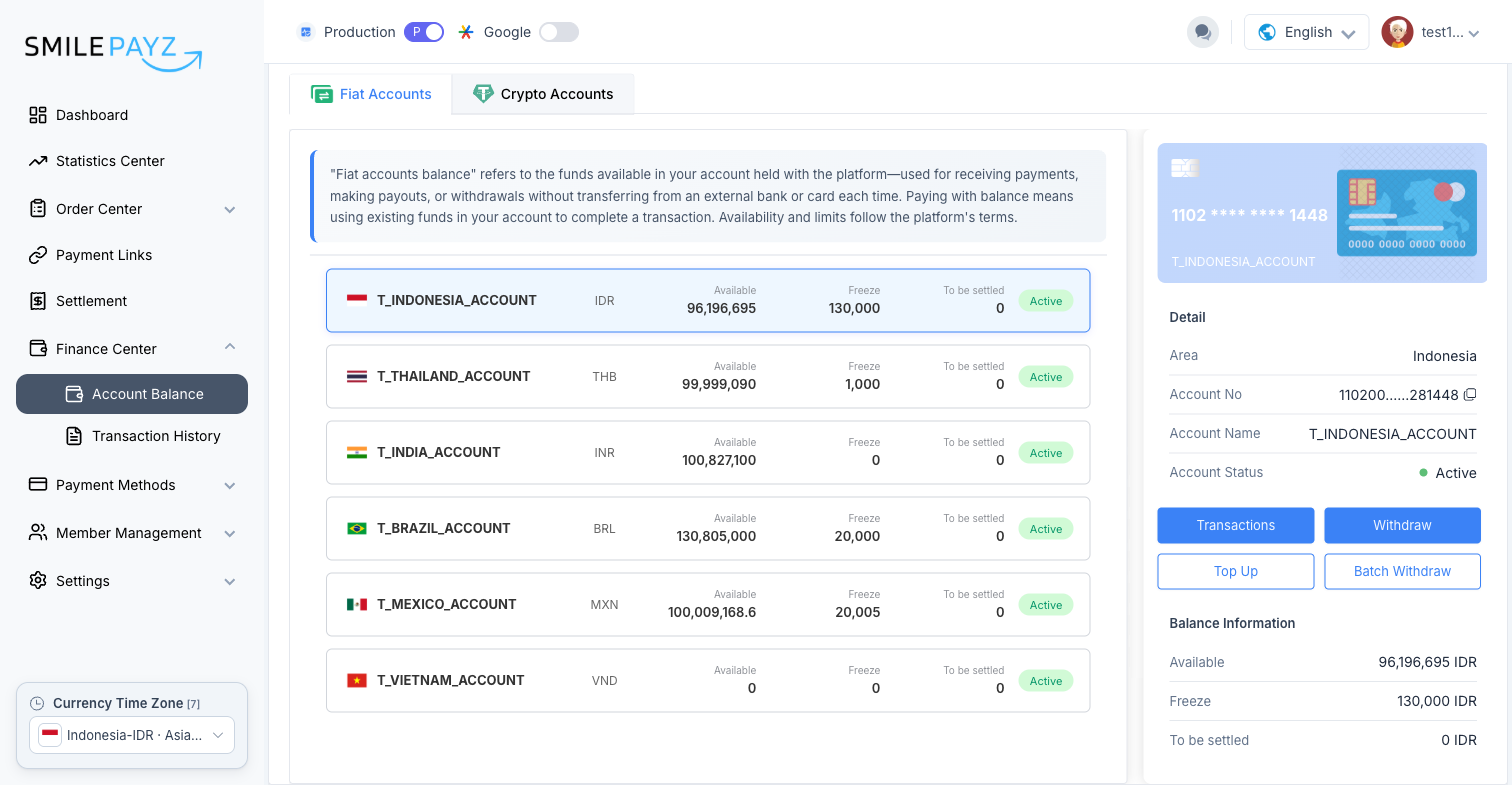
Step 1: Open Account Balance
- Sign in to the merchant backend.
- Go to Finance Center → Account Balance (or use the Balance quick-access button on the Dashboard).
- Under Fiat Accounts, select the account you want to top up.
- Click Top Up.
Step 2: Enter Top-Up Details (Fiat Top Up)
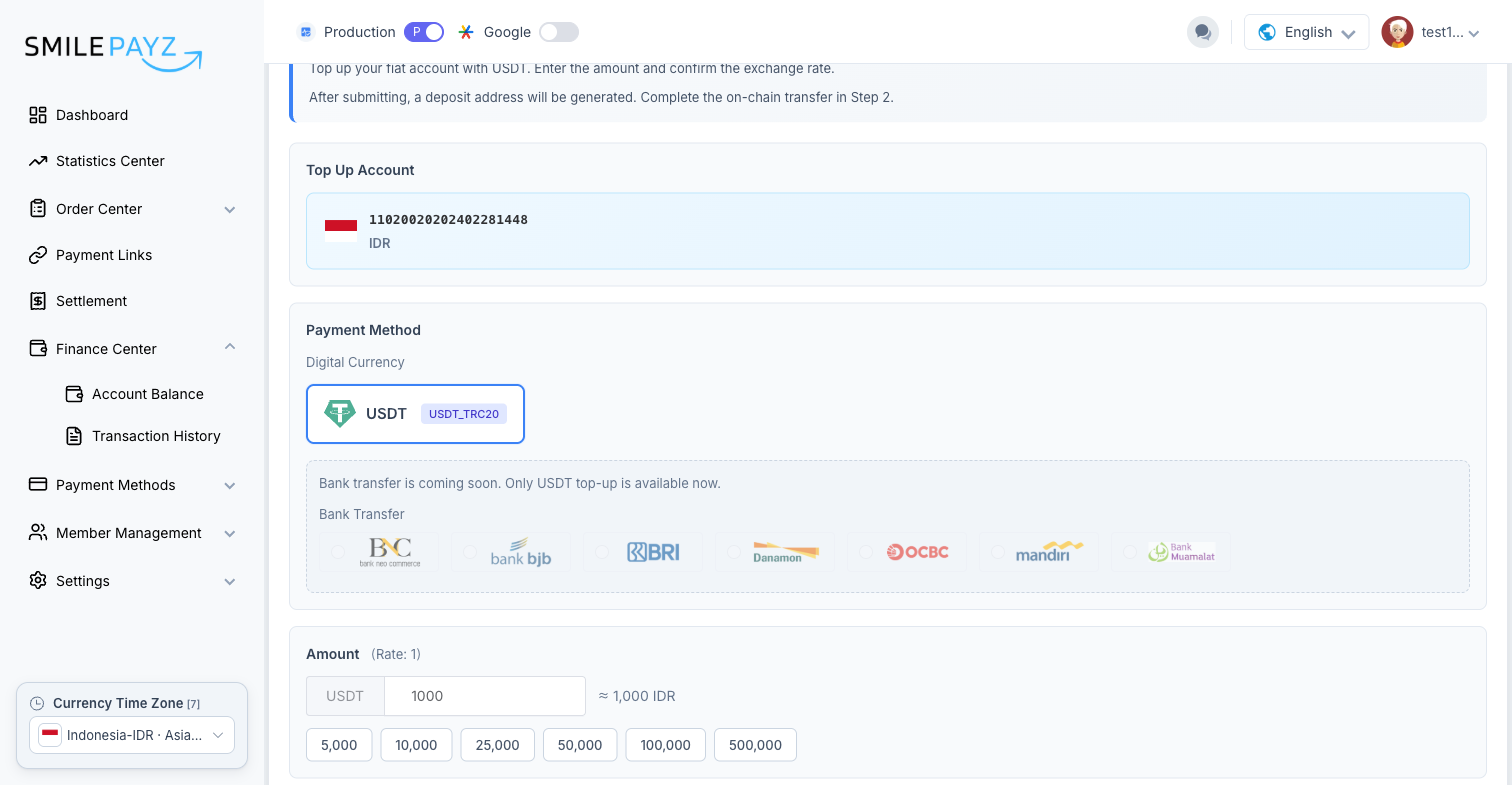
On the Top Up page, complete Step 1 — Fiat Top Up:
- Top Up Account — Confirm the account number and currency.
- Payment Method — USDT / USDT_TRC20 is selected by default. Bank transfer options are shown as coming soon and are disabled.
- Amount — Enter the USDT amount (or pick a preset). The page shows the approximate fiat equivalent based on the current rate.
- Remark (optional) — Add a note if needed (max 32 characters).
- Click Submit.
Exchange rate
If you see "Current rate is not real-time. Please ask the administrator to update the rate", contact customer service to refresh the rate before submitting.
Step 3: Complete On-Chain Transfer (Fiat Payment)
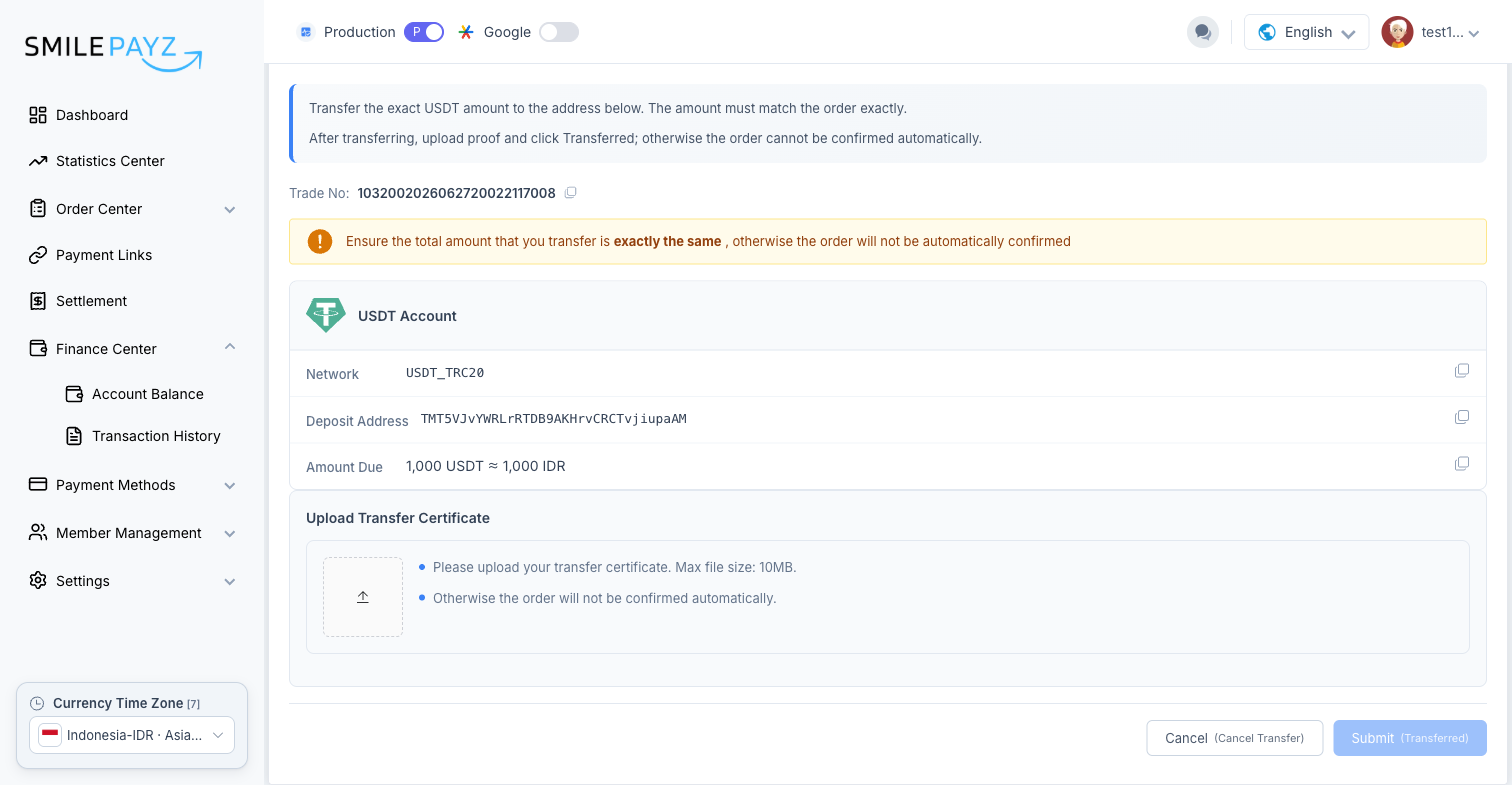
After submitting, the page moves to Step 2 — Fiat Payment:
- Note the Trade No for your records.
- Transfer the exact USDT amount shown to the Deposit Address on the USDT_TRC20 network. The total must match exactly, or the order will not be confirmed automatically.
- Upload Transfer Certificate — Attach proof of payment (max 10 MB).
- Click Submit (Transferred) to confirm.
Once finance confirms the transfer, your fiat account balance updates. Allow a short time for synchronization; refresh Account Balance if needed.
Important Notes
Amount and network
- Send only USDT on TRC20 to the address shown.
- The on-chain amount must exactly match the order amount.
- Wrong network or amount may delay or prevent automatic confirmation.
Processing time
- Confirmation depends on on-chain transfer and finance review.
- Balance may not update immediately after submission — wait a few minutes and refresh.
Bank transfer
- Bank transfer top-up is not available yet. Only USDT top-up is supported.
Troubleshooting
| Issue | What to do |
|---|---|
| Rate not real-time | Contact customer service to update the exchange rate |
| Balance not updated | Wait a few minutes, then refresh Account Balance |
| Order not auto-confirmed | Check that the transferred amount and network match the order exactly |
| Submit (Transferred) disabled | Upload a transfer certificate first |
| Bank transfer unavailable | Use USDT (TRC20) — bank options are not enabled yet |
Support
- Documentation: API references and guides on this site
- Customer Service: Rate updates and top-up confirmation issues
- Technical Support: Platform access and integration help