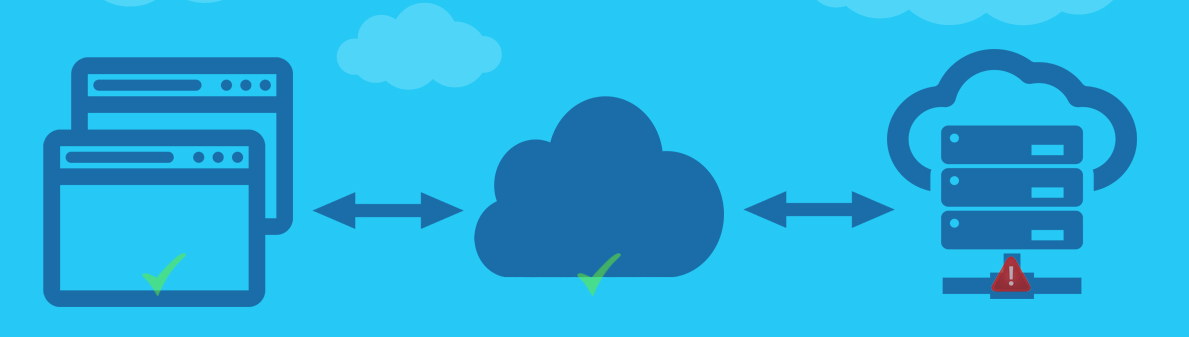

Error - Response Code
Sekitar 2 menit
Error Code Overview
The Error Code system provides standardized response codes for API operations, enabling developers to handle different scenarios appropriately. This comprehensive error handling system ensures consistent communication between the payment platform and client applications.

Standard Response Codes
| Code | Message | Description |
|---|---|---|
| 00 | Success Request | Your request has been processed successfully Usage: Transaction completed, operation successful Action: Proceed with normal business logic |
| 01 | Request In Progress | Request is currently being processed Usage: Asynchronous operations, pending transactions Action: Wait for completion or check status later |
| 10 | Bad Request | Invalid request parameters or format Usage: Missing required fields, invalid data format Action: Review and correct request parameters |
| 11 | Not Found | Requested resource or endpoint not found Usage: Invalid API endpoint, non-existent transaction Action: Verify API URL and resource identifiers |
| 12 | Unauthorized | Authentication or authorization failure Usage: Invalid credentials, insufficient permissions Action: Check authentication configuration |
| 13 | Too Many Requests | Rate limit exceeded Usage: API call frequency exceeds allowed limits Action: Implement rate limiting and retry with backoff |
| 14 | Forbidden | Access denied due to business rules Usage: Account restrictions, payment method limitations Action: Contact business development team |
| 15 | Timeout | Request processing timeout Usage: Network issues, system overload Action: Check network connectivity and retry |
| 16 | Insufficient Balance | Account balance insufficient for transaction Usage: Insufficient funds for payout or withdrawal Action: Check account balance and add funds |
| 99 | General Error | System or channel error Usage: Unexpected system errors, third-party service issues Action: Contact technical support |
Error Handling Best Practices
Success Scenarios (Code 00)
- Response: Transaction completed successfully
- Action: Update local records, notify user of success
- Logging: Log successful transactions for audit purposes
Processing Scenarios (Code 01)
- Response: Request is being processed
- Action: Implement polling mechanism to check status
- Timeout: Set appropriate timeout for status checking
Client Error Scenarios (Codes 10-16)
Code 10 - Bad Request:
- Verify all required parameters are present
- Check parameter format and data types
- Validate request structure against API documentation
Code 11 - Not Found:
- Verify API endpoint URL is correct
- Check resource identifiers (orderNo, tradeNo, etc.)
- Ensure API version compatibility
Code 12 - Unauthorized:
- Verify signature generation and validation
- Check merchant credentials and permissions
- Ensure payment method is properly configured
- Reference: Signature Generation Guide
Code 13 - Too Many Requests:
- Implement exponential backoff strategy
- Reduce API call frequency
- Monitor rate limit headers if available
Code 14 - Forbidden:
- Contact business development team
- Verify account status and permissions
- Check payment method activation status
Code 15 - Timeout:
- Check network connectivity
- Verify server availability
- Implement retry mechanism with increasing delays
Code 16 - Insufficient Balance:
- Check account balance before transactions
- Implement balance validation in application logic
- Provide clear user feedback about insufficient funds
System Error Scenarios (Code 99)
- Response: General system or channel error
- Action: Contact technical support with detailed error information
- Logging: Log complete error details for troubleshooting
- Retry: Implement intelligent retry mechanism for transient errors
Implementation Guidelines
Error Response Structure
{
"code": "10",
"message": "Bad Request",
"details": "Missing required parameter: merchantId",
"timestamp": "2020-12-17T10:55:00-05:00",
"requestId": "req_123456789"
}
Error Handling Strategy
- Immediate Actions: Handle errors based on response code
- User Communication: Provide clear, actionable error messages
- Logging: Log all errors with sufficient detail for debugging
- Retry Logic: Implement appropriate retry strategies for transient errors
- Escalation: Escalate persistent errors to appropriate support channels
Monitoring and Alerting
- Error Rate Monitoring: Track error rates by code and endpoint
- Performance Metrics: Monitor response times and success rates
- Alert Thresholds: Set up alerts for high error rates or critical failures
- Trend Analysis: Analyze error patterns for system improvements
Support and Troubleshooting
Contact Information
- Technical Support: For system errors (Code 99) and technical issues
- Business Development: For account and permission issues (Code 14)
- Customer Service: For authentication and configuration issues (Code 12)
Debugging Information
- Request Details: Include complete request parameters and headers
- Response Details: Include full error response and timestamp
- Environment Info: Specify environment (sandbox/production) and API version
- Reproduction Steps: Provide steps to reproduce the error
Common Resolution Steps
- Verify Configuration: Check API credentials and endpoint URLs
- Validate Parameters: Ensure all required parameters are provided
- Check Documentation: Review API documentation for parameter requirements
- Test in Sandbox: Verify functionality in sandbox environment first
- Contact Support: Escalate issues that cannot be resolved independently